Saving a useful link goes wrong in predictable ways: wrong folder, no context, lost tab. A colleague and I share an Outline instance to track AI and cybersecurity developments, and I/we wanted bookmarks to land there with context attached, not buried in browser folders we’d never open.
Outline Bookmark saves pages two ways. The popup workflow: pre-filled title, collection picker that remembers your last choice, notes field. The context menu: right-click, “Save to Outline,” done. Selected text becomes a blockquote. Both create Markdown documents in Outline with links back to the source.
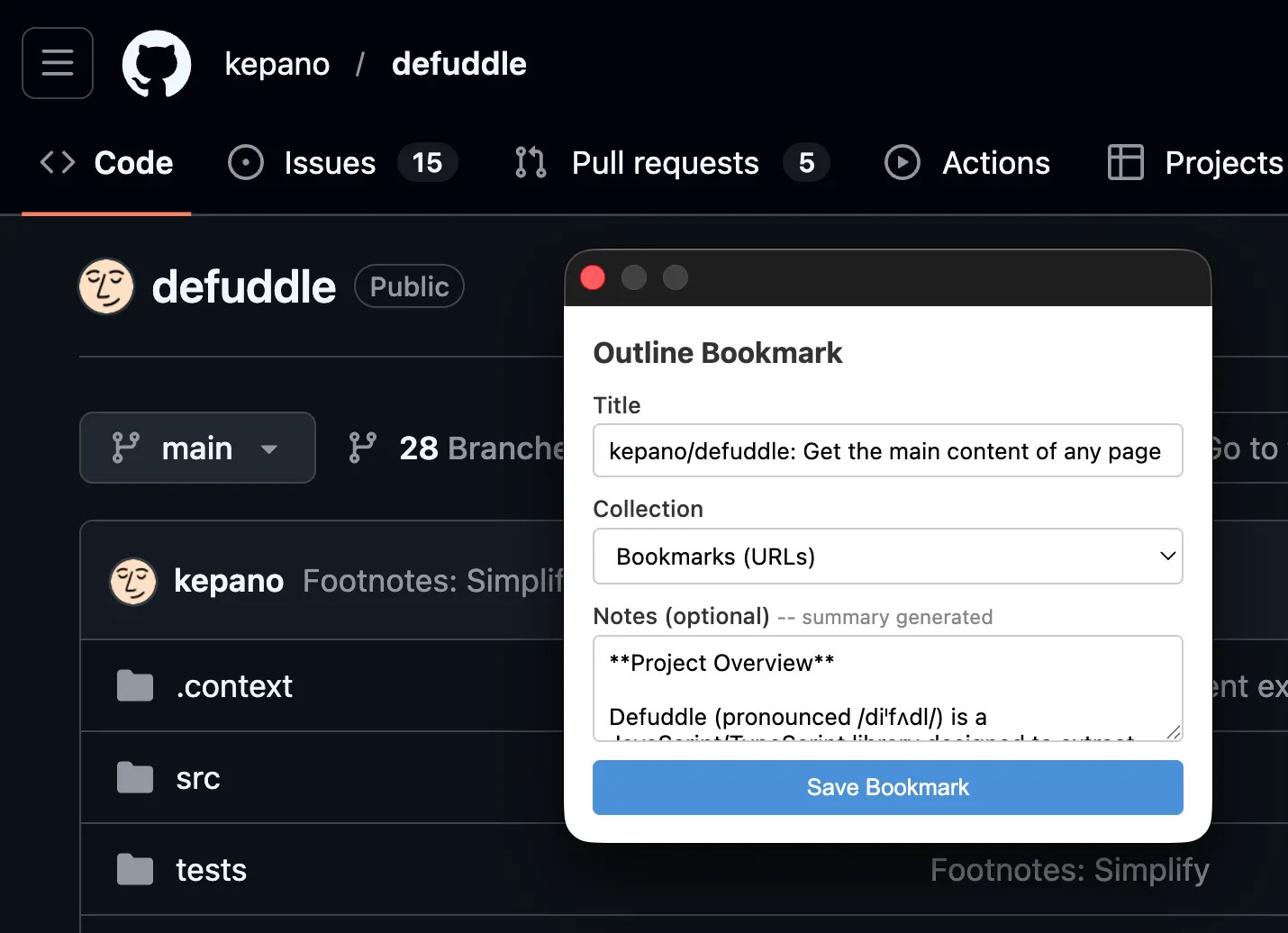
AI summary is optional. Point the extension at local Ollama (start with OLLAMA_ORIGINS=chrome-extension://*), pick a model, and notes pre-fill with generated summaries. Useful for research pages where you need a reminder why you saved it—especially in fields that move as fast as AI or security.

TypeScript. Vite. Manifest V3. Standard permissions: read current tab, inject content script, write to remote API.
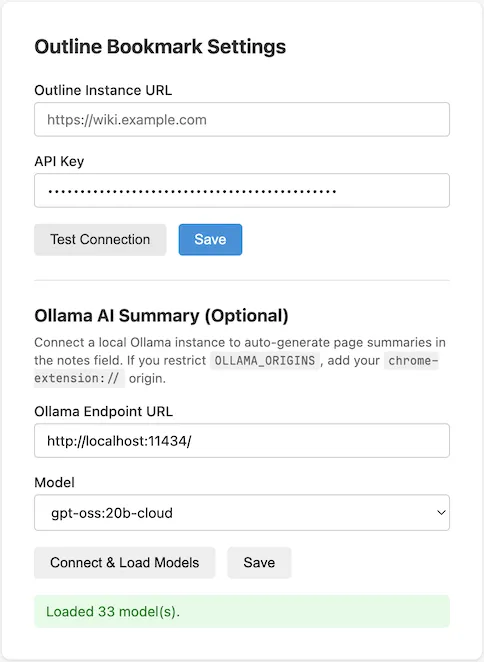
Setup: Outline API key from account settings, instance URL. Options page opens on first install; “Test Connection” button validates immediately. Clone, npm install, npm run build, load dist/ as unpacked extension. Five minutes.