Tern is a terminal that can do more than print text. With the Native command output setting on (it is on by default), a plugin can claim a command and replace its raw output with a real view: a table, a card, a set of badges. I wrote two plugins that do this for the shell commands I run every day. They are MIT licensed and live in one repo, tern-plugins.
Each folder in the repo is one plugin. You install only the ones you want.
| Folder | Plugin | Reads |
|---|---|---|
who/ | Who | w |
net/ | Network Lookups | whois, rdap, nmap, ss, openssl x509 |
who: w as a session table
Run w and you get a table. The clock and uptime, the login count, and the three load averages sit at the top. Under them is one row per session: user, terminal, source, login time, idle time, CPU times, and the command that session is running.
Double-click a row to copy its command. Right-click for Copy user, Copy terminal, and Copy command.
Columns follow the header w prints, so JCPU and PCPU appear when the system has them.
net: five network commands, five views
| Lens | View |
|---|---|
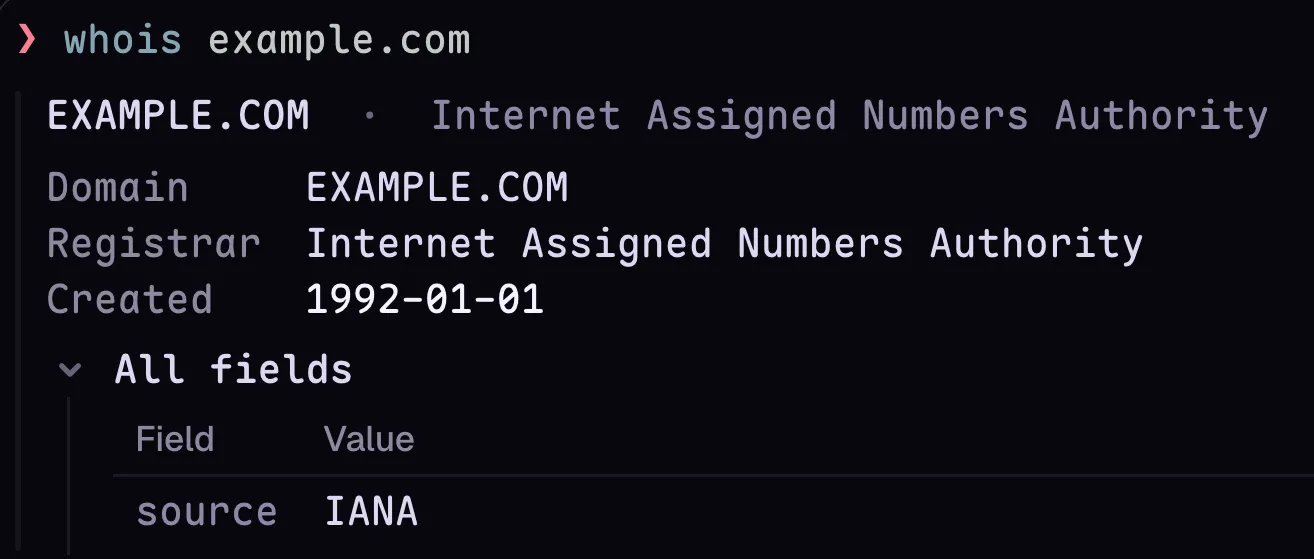
whois | Domain and registrar up top, expiry with days left, statuses and name servers as lists, every other field in a table, the output’s notices folded at the end |
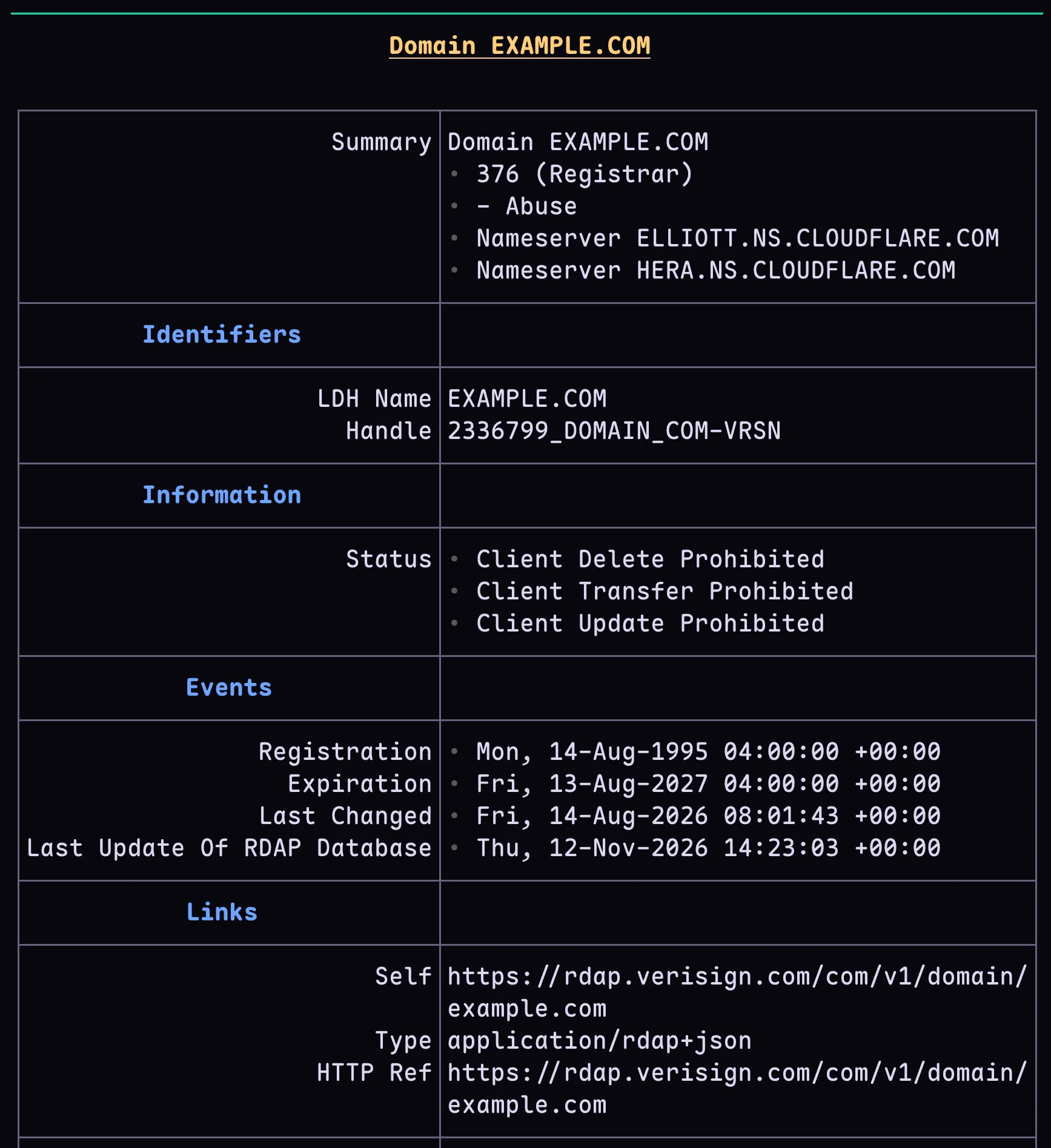
rdap | Registration from RDAP JSON: statuses, events with days left, registrar, name servers, DNSSEC |
nmap | One section per host with latency and up/down, a port table with state dots and versions, the scan’s notes |
ss | Socket table: state, protocol, local and peer address, and the process holding the socket |
openssl x509 | Certificate card: subject, issuer, validity with days left, key size, signature algorithm, SANs |
net only reads output from programs you already run. It does not install whois, nmap, ss, or an RDAP client, and it adds no network calls of its own.
Here are some out examples for whois:
and rdap:
Requirements
- Tern 0.9 or newer for the full view.
whoalso loads on 0.8.3 and 0.7.2, where it draws badges and a plain table instead of stat tiles and row menus. - Settings › Terminal › Native command output on. This is the default.
- Shell integration on, so Tern sees each command line. Without it, no command gets a lens.
Install
Clone the repo, then link the plugins you want. A linked plugin stays where it is and reloads when you save a file.
git clone https://rud.is/git/tern-plugins
tern plugin link tern-plugins/who
tern plugin link tern-plugins/net
To copy a plugin instead of linking it, use tern plugin install tern-plugins/who.
tern plugin list          # ready, or the load error
tern plugin unlink who    # stop using the linked folder
tern plugin remove who    # delete an installed copy
Remote hosts run their own Tern daemon with their own plugins. Install each plugin on every host that runs panes: tern plugin dir prints that host’s plugin folder.
How it works
A plugin is a folder with a plugin.toml and a host.luau. A lens claims command lines with globs in the manifest and is defined with tern.lens.define in Lua.
who/
  plugin.toml    manifest: id, name, and the command lines each lens claims
  host.luau      the lens code
  README.md
net/
  plugin.toml
  host.luau      requires the lens files below
  common.luau    helpers the lenses share
  whois.luau     one file per lens
  rdap.luau
  nmap.luau
  ss.luau
  openssl.luau
When a lens cannot read a command’s output, it returns nil and the block keeps the raw text. A form you did not plan for costs you nothing.
Status
Early (very). Each lens matches only the command forms it can read. If a command form you rely on is missing, the lens returns nil and Tern keeps the raw text, so adding support is safe to try.
License
MIT. Clone it, link it, and if a lens can read one more command you run, send the patch.